
Two-Factor Authentication on ‘s4s Manager’ app
-
1
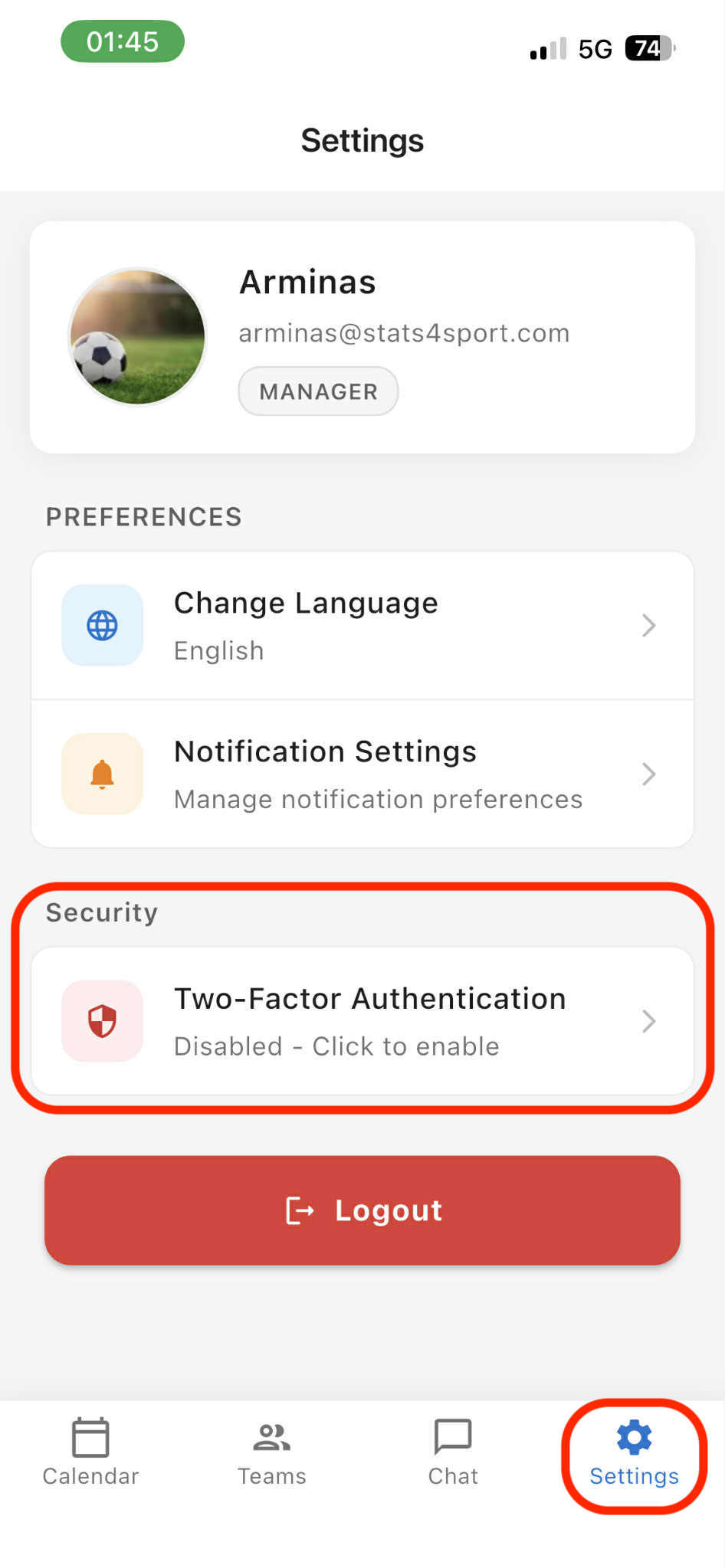
Open 's4s manager' app on your mobile device. Go to 'Settings' on the bottom menu bar. Choose 'Two-Factor Authentication'.
-
2
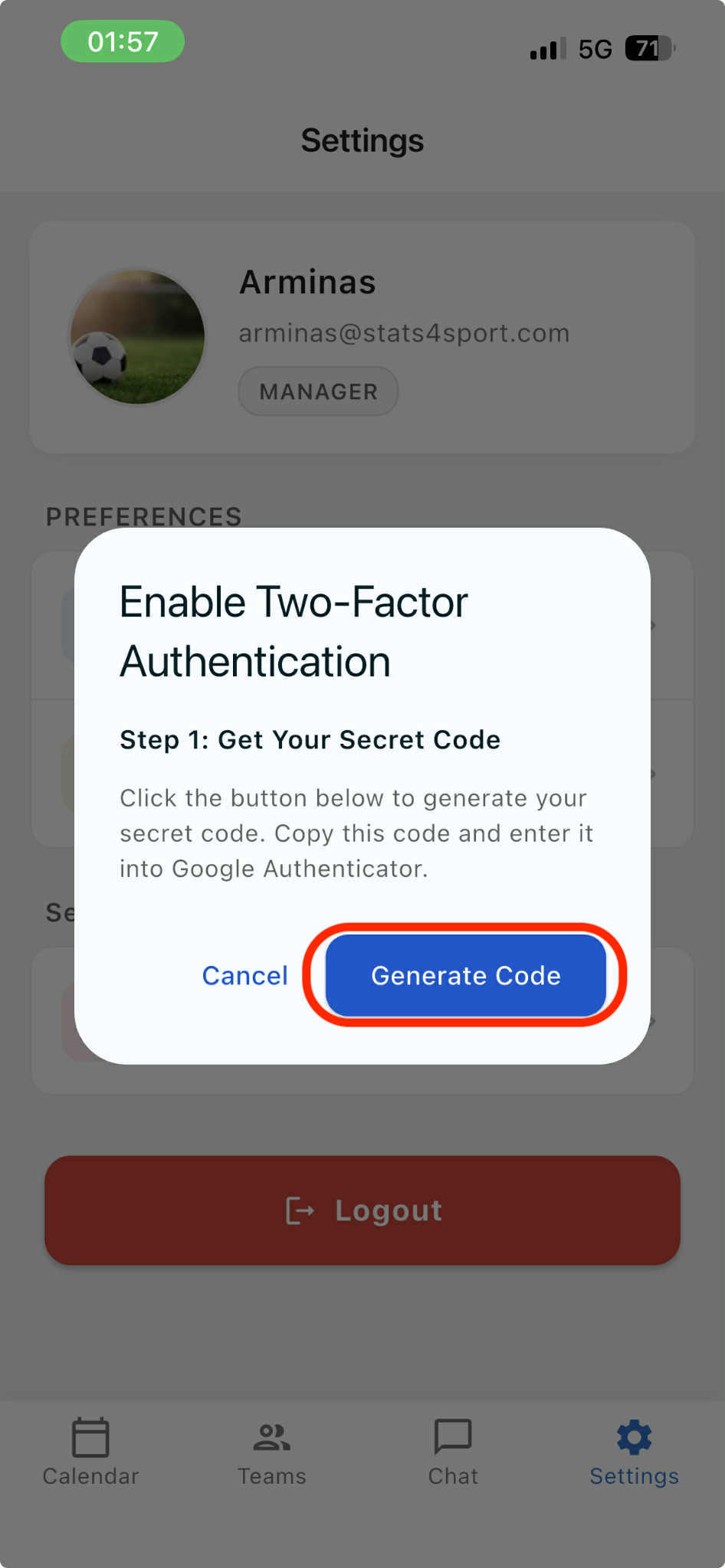
Press 'Generate Code'.
-
3
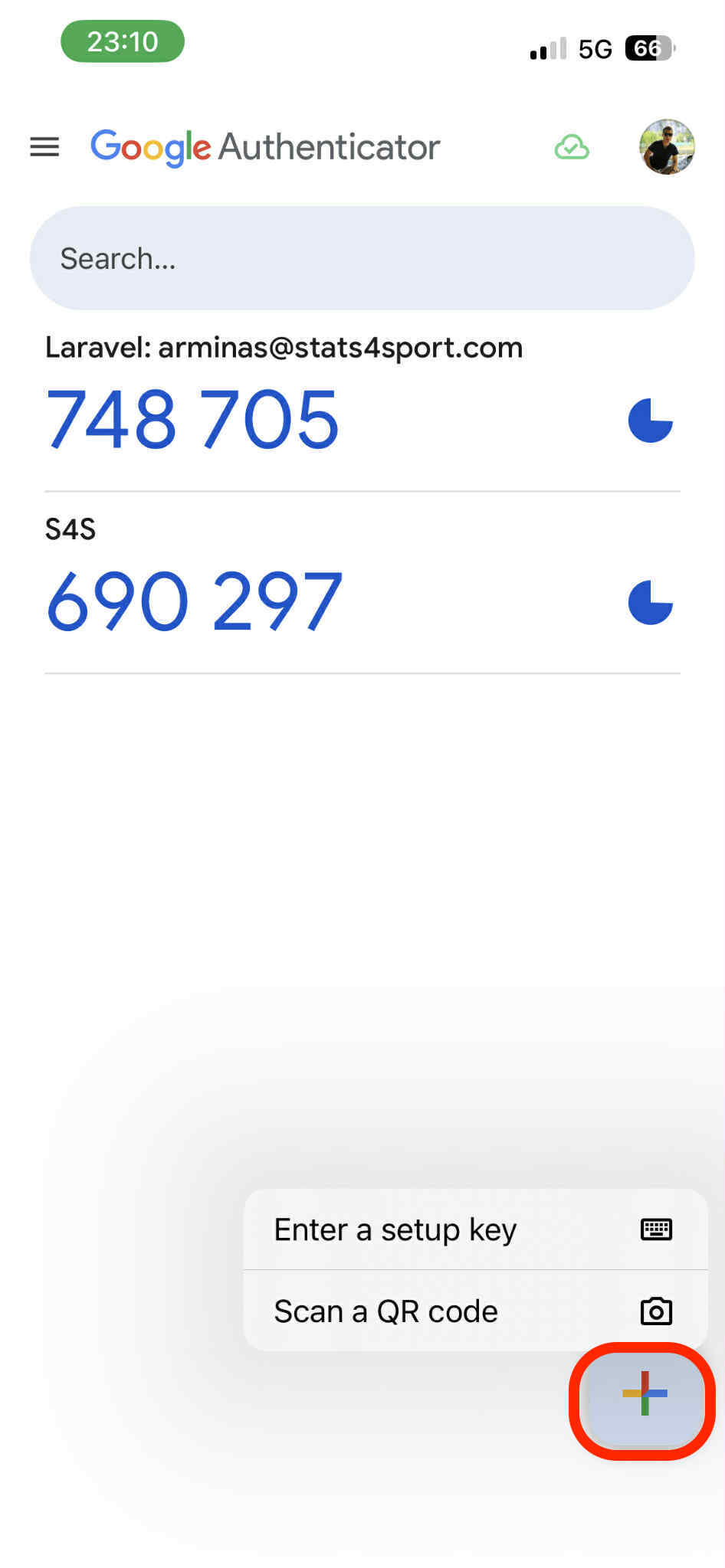
Step 1. Copy the code. Open 'Google Authenticator' app on your mobile device. Press on + at down right corner. Choose 'Enter a setup key'.
-
4
Create account by entering its name, paste the key code from 's4s manager' app and press 'Add'.

-
5
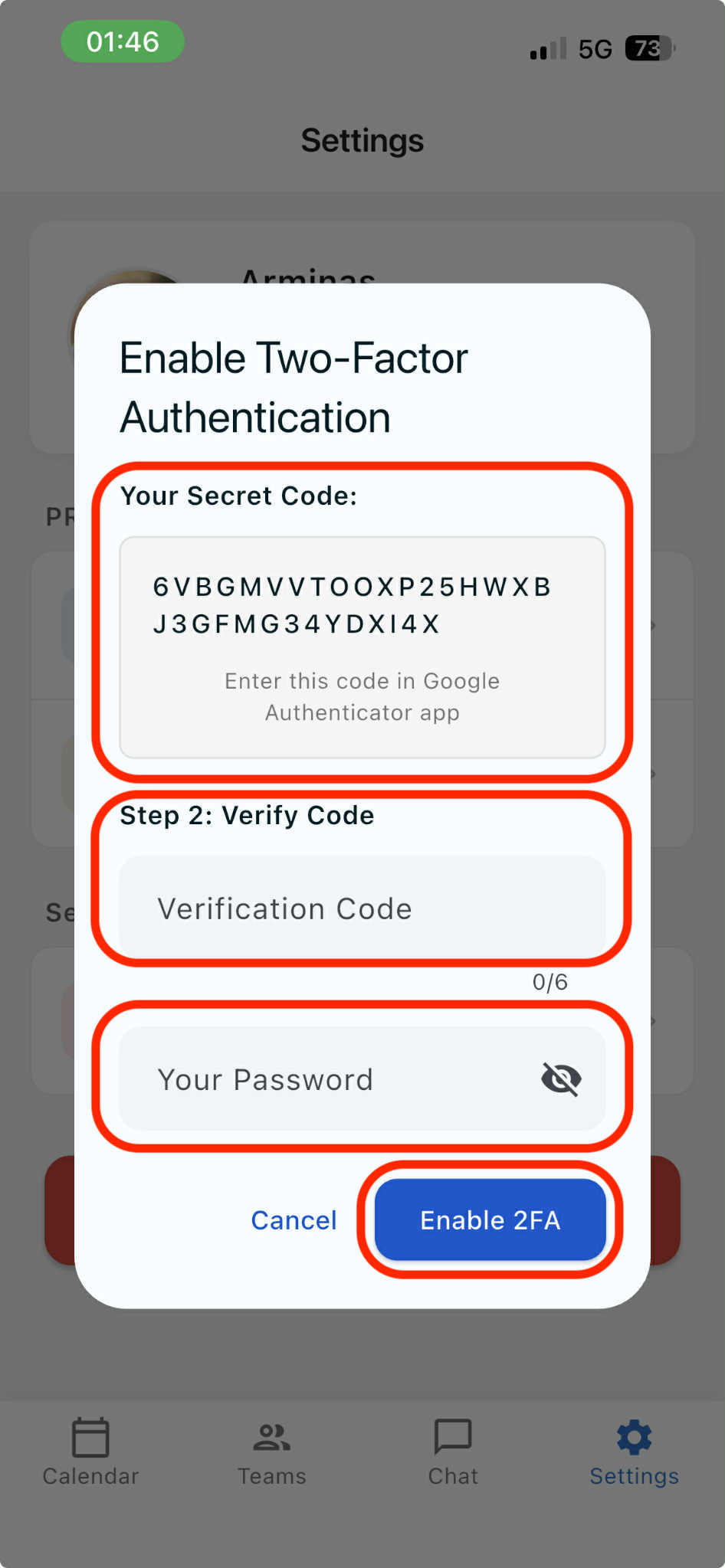
Follow step 2 on 's4s manager' app on your mobile device. Enter verification code from 'Google Authenticator app', enter your account password and press 'Enable 2FA'.
Was this article helpful?


 Loading...
READ NEXT
Loading...